MatterHackers MatterCAD - 3D Design Software


MatterCAD is a pioneering design software tailored for 3D printing, offering intuitive tools and endless customization through powerful design apps and templates. It rivals professional modeling programs, allowing users to personalize and innovate with ease.
- Tailored for 3D printing design and modification.
- Intuitive tools for limitless customization.
- Professional-grade design capabilities and templates.
| List Price: | $0.00 |
|---|---|
| Price: | $0.00 |
| Price: | $... |
| Order Now: | Ships calculating... |
MatterCAD - Intuitive 3D Design
MatterCAD is a user-friendly 3D modeling application for Windows and macOS, offering an intuitive platform for creating and editing 3D models. With its clean interface and straightforward tools, MatterCAD minimizes the learning curve for both beginners and experienced designers. It features a comprehensive library of primitive shapes—like cubes, spheres, and cylinders—that serve as building blocks for complex designs. Users can easily manipulate objects through drag-and-drop functionality, direct movement, rotation, and scaling within the 3D workspace. Advanced editing capabilities such as Boolean operations and mesh editing allow for intricate customization without overwhelming complexity. Unlike its sibling software MatterControl, MatterCAD focuses solely on modeling and does not include 3D printing capabilities or support generation tools. This specialization makes it ideal for educators, students, hobbyists, and professionals seeking a streamlined modeling experience without additional printing features. Bring your creative ideas to life with MatterCAD's powerful yet accessible tools—download it today to enhance your 3D modeling projects.


MatterCAD Design Apps
Find out what you can do with MatterCAD's set of Design Apps - made to help you personalize and customize 3D prints - whether they are your own, or a shared, online file. Read all about it in our MatterCAD Design Apps article.

MatterCAD Design Tools
MatterCAD now comes with design capabilities that rival those of professional, pricey, engineering-grade modeling programs. Learn all about the new toolsets in our MatterCAD Design Tools article.


MatterCAD Cloud Sync
Never be without your digital files. Anything that you download from the MatterHackers Digital Design Store, as well as anything you store in your Cloud folder within MatterCAD, are available anywhere you log in. You can also log on to the web portal and check the status of prints in progress.
Ready for More? Try MatterCAD Pro
MatterCAD is free, and MatterCAD Pro Edition takes it further. Pro upgrades your 2GB Cloud Library to unlimited storage, unlocks advanced design tools including Gear Creator, Thread Creator, Autopilot, Mesh Repair, Mesh Hollowing, and Polygon Reduce, and gives you email and phone support from the MatterHackers team. Pro runs on the same Windows and Mac builds you already have — just log in to enable it.
Learn more about MatterCAD Pro Edition
Minimum System Requirements
MatterCAD runs on both Windows and macOS.
Windows devices must meet the following minimum system requirements:
- Processor: 1 gigahertz (GHz) or faster processor
- RAM: 2 GB for 64-bit
- Hard Disk Space: 6GB
- Graphics Card: DirectX 9 or later with WDDM 1.0 driver
- Display: 800 x 600
Mac devices must meet the following minimum system requirements:
- Processor: Apple Silicon (M1 or later)
- Operating System: macOS 14 Sonoma or later
- RAM: 8 GB
- Hard Disk Space: ~500 MB free
Recommended System
Windows represents the most stable and current version of MatterCAD:
- Operating System: Windows 10 or later
- Processor: 64bit, 3 gigahertz (GHz) or faster processor
- RAM: 6 GB
- Hard Disk Space: 100GB
- Graphics Card: DirectX 9 or later with WDDM 1.0 driver
- Display: 1024 x 768 or higher
Recommended Mac system:
- Operating System: macOS 15 Sequoia
- Processor: Apple Silicon (M1 or later)
- RAM: 16 GB for large or complex models
- Hard Disk Space: ~500 MB free
Getting Started With MatterCAD
MatterCAD shares the core design engine with MatterControl. You can watch this tutorial to help you get started designing in MatterCAD.
Read more about this tutorial here:
Designing an L-Bracket
And Here is a great article about turning 2D images into 3D objects.

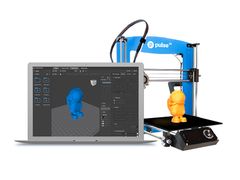
MatterHackers Digital Designs are easy to access and ready to customize within MatterCAD.
Digital Design files can be accessed using MatterCAD or the Cloud Sync web portal. When logged in, Digital Designs can be found within the "Purchased" folder of your MatterCAD Cloud Library.
| Price: | FREE |
|---|---|
| License: | loading |
| Instant Digital Delivery | |